
Taming the Dumbbell Nebula, M27.....
Messier 27, known as the Dumbbell Nebula or the Apple Core Nebula is often photogrpahed. Roughly 1,200 to 1,360 light-years distant, it is the first planetary nebula discovered, originally by French astronomer Charles Messier in 1764.
Despite the historical classification, a planetary nebula has nothing to do with planets. Instead, it represents the final stages of a Sun-like star’s life. As nuclear fusion ceases in its core, the dying star expels its outer gaseous envelopes into interstellar space. This leaves behind an intensely dense, hot white dwarf at its geometric centre. This leftover stellar remnant floods the surrounding space with ultraviolet radiation, ionizing the expanding shells of gas and causing them to glow vividly in specific narrow bands of light—most notably Hydrogen-alpha (Ha) and doubly ionized Oxygen (OIII).
The Astrophotography Challenge: A Massive Dynamic Range
When we capture M27, we face the challeneg of an extreme high dynamic range (HDR). The central hourglass shape glows brilliantly at an apparent visual magnitude of 7.5, making it easily accessible even with modest equipment. However, embedding this structure is an expansive outer halo of faint gas filaments and wings. This outer shell structure is roughly 1,000 times fainter than the central core.
If you expose strictly for the short durations needed to preserve the intricate structural details inside the bright core, the outer filaments remain completely buried in the background noise. Conversely, if you shoot long exposures to reveal the delicate outer wings, the intense central OIII and Ha emissions will completely saturate and blow out the core, destroying its internal clock-glass definition. You can see this clearly in the master OIII images contrasting 30s exposure with 450s exposure.
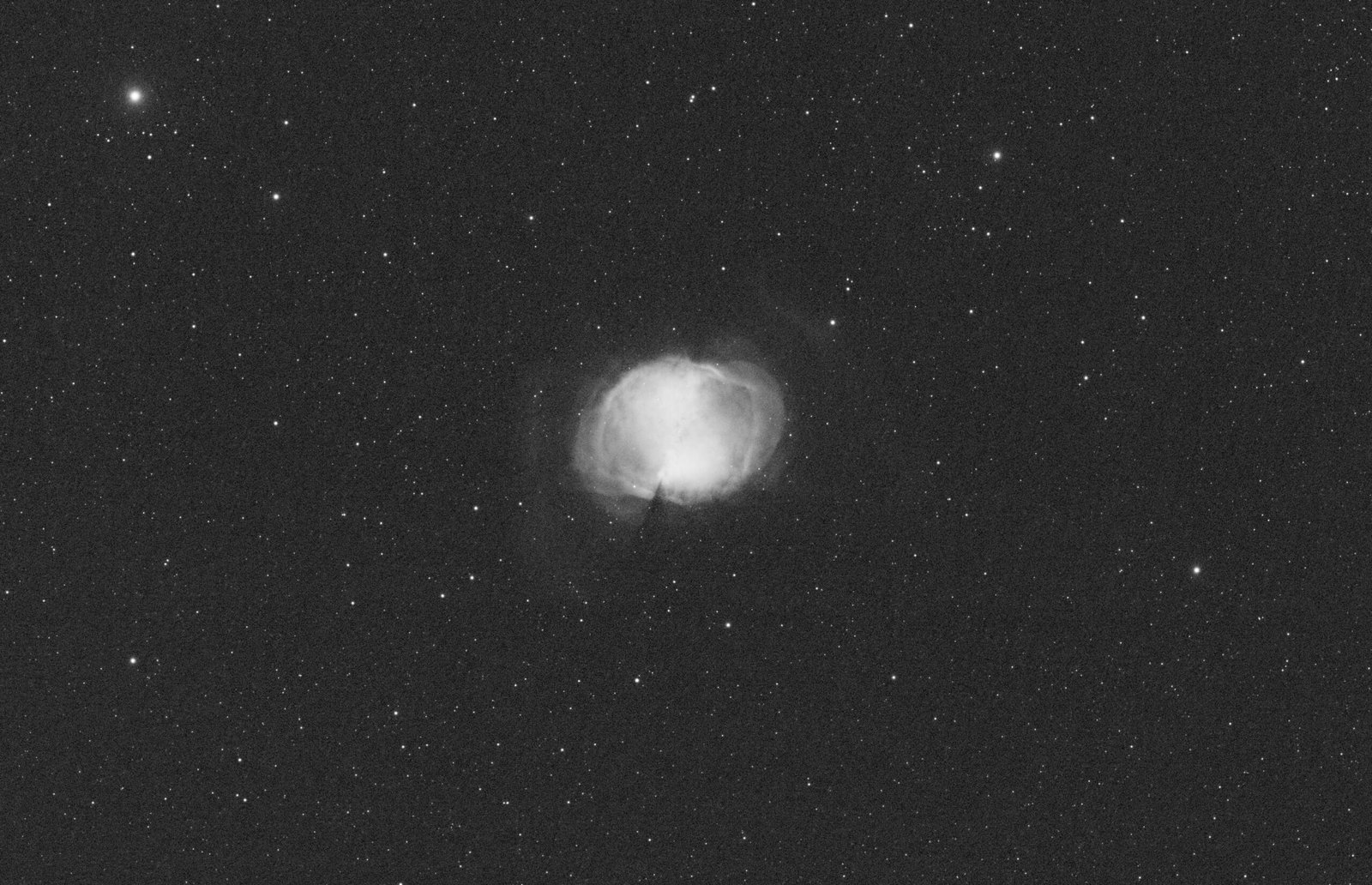
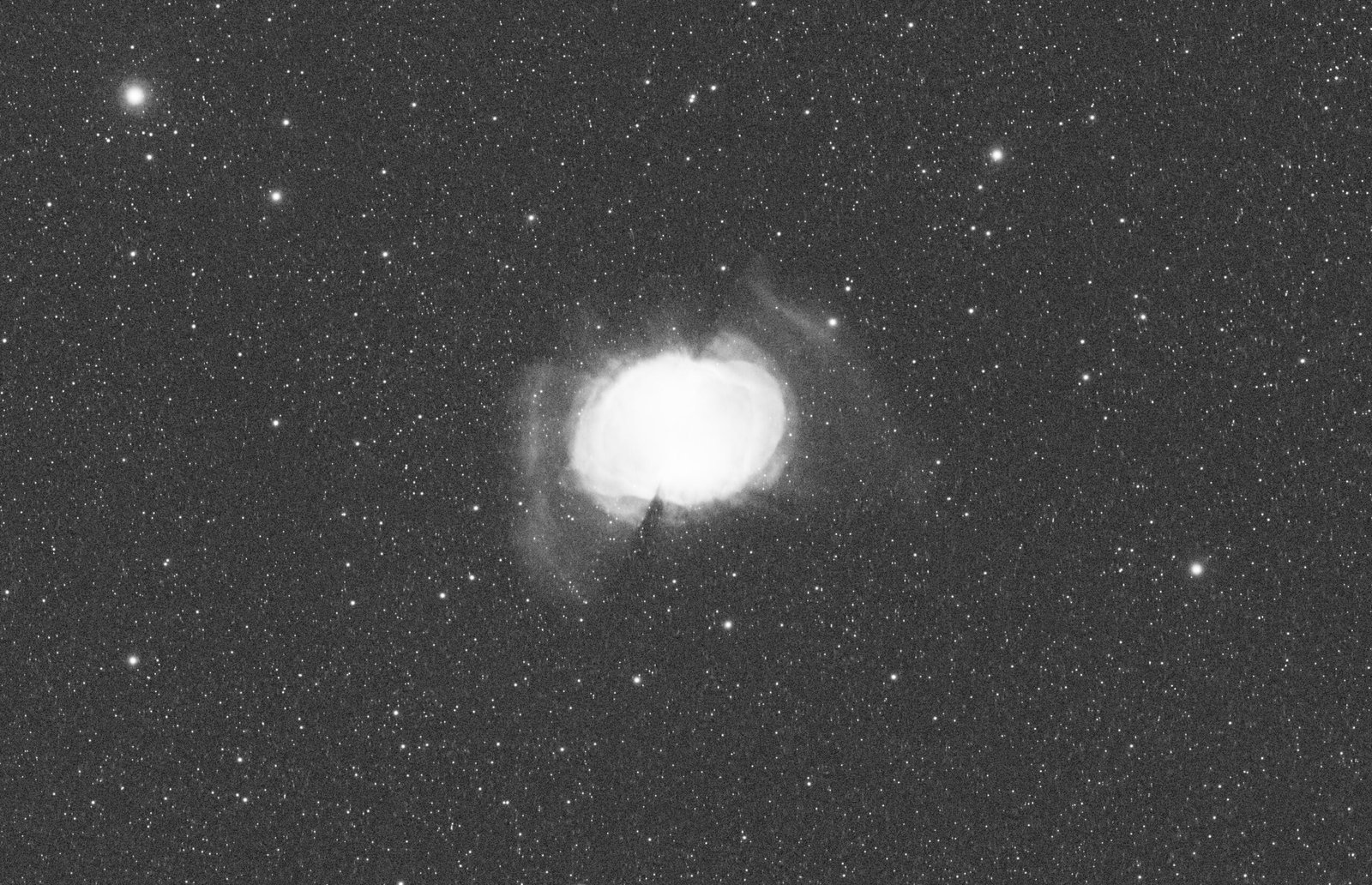
To solve this, I used a multi-exposure bracketing strategy. I captured exposure brackets across 30, 60, 120, 300, and 450 seconds using narrow-band Ha and OIII filters. Below is the workflow I utilized in PixInsight to merge these brackets, keeping the bright core protected while bringing the outer filaments out of the dark.
Equipment and Data Acquisition
To resolve both the high-intensity core and the ultra-faint outer wings of the Dumbbell, having a stable hardware stack is needed. My configuration consisted of the following equipment:
- Mount & Tripod: ZWO AM5 Harmonic Equatorial GoTo Mount mounted on a rigid Berlebach Planet Tripod.
- Imaging Telescope: TS CF-APO 130mm refractor, equipped with a Wega Adapter for the ZWO Electronic Automatic Focuser (EAF).
- Main Camera & Filters: ZWO ASI2600MM monochrome camera running alongside a ZWO electronic filter wheel loaded with a Baader 6nm Ha, SII, and OIII Narrowband Filter Set.
- Guiding System: William Optics Zenithstar 61 II APO acting as the guide scope (configured with its own dedicated ZWO EAF), paired with a ZWO ASI662MC Colour Astro Camera serving as the guide camera.
The data was captured over four clear nights during August 2026 from my Northern Hemisphere site located in Calonge, Costa Brava, Catalonia (41°N, 3°E). To build a high-dynamic-range dataset, I configured my exposure brackets for both the Hydrogen-alpha and Oxygen-III narrow-band channels as follows:
- Hydrogen-alpha (Ha): 60 frames at 30 seconds, 60 frames at 60 seconds, 30 frames at 120 seconds, and 30 frames at 300 seconds.
- Oxygen-III (OIII): 60 frames at 30 seconds, 60 frames at 60 seconds, 30 frames at 120 seconds, and 30 frames at 450 seconds.
For data calibration, I captured matching dark frames for each single exposure length, alongside flat fields for each filter and corresponding flat darks to eliminate any optical dust spots or sensor artifacts.
Step 1: Pre-Processing and Spatial Alignment
Before blending different exposure durations together, the data was prepared while still in its linear state:
- Calibration and Integration: I stacked each exposure group (30s, 60s, 120s, 300s, 450s) completely independently using PixInsight’s Weighted Batch Preprocessing (WBPP) script. This produced four discrete linear master frames for the Ha filter and four for the OIII filter.
- Registration: To align the master frames, I selected the sharpest long-exposure master frame as my reference. Using the StarAlignment process, I registered all master images to this single reference frame.
Linear Optimization: Gradient Correction and BlurXTerminator
Before moving into the dynamic range combination phase, I made a gradient correction on each master and then applied BlurXTerminator to execute AI-driven deconvolution. I did not use NoiseXTerminator. Because the short exposure brackets (30s, 60s, 120s) naturally possess high structural stability in the bright core zones, applying noise reduction was unnecessary.
Step 2: Merging the Brackets via HDRComposition
The next step was to build a single high-dynamic-range master for each filter using the HDRComposition process. This tool works by analysing the images, identifying saturated pixels in long exposures, and mathematically replacing them with unsaturated data from the shorter exposures.
- Processing H-alpha: For the Ha channel, loading the masters into the tool using a default Mask smoothness of 7 produced a good blended image on the first pass.
- Taming the Intense OIII Core: Because OIII emission is incredibly dominant in the center of M27, the initial automated blend left the core looking too flat and overly bright. To force the software to protect the core, I modified the parameters:
- Binarizing Threshold: Lowered from the default 0.8 down to 0.45. This forced the algorithm to flag the bright core as “saturated” much earlier in the 450-second frame, substituting it with the un-clipped structural details from the 30s, 60s, and 120s exposures.
- Mask Growth: Increased to 3 to expand the blending boundaries, completely eliminating any harsh edge artifacts or dark transition rings.
Removing the Stars with StarXTerminator
Prior to combining my channels, I removed the stars. Working with starless data allows for more aggressive manipulation of the nebula’s gaseous structures without risking star bloating, distortion, or colour fringing. I ran the AI-driven StarXTerminator plugin on both my finished HDR_Ha and HDR_OIII linear composites. The extracted stars were saved separately as independent star files.
Step 3: Starless HOO Channel Combination
Using PixelMath, I combined the grayscale starless masters into a single colour RGB image using custom channel blending expressions to distribute the signals across the colour matrix:
- Red (R): HDR_Ha
- Green (G): HDR_OIII * 0.5 + HDR_Ha * 0.5
- Blue (B): HDR_OIII
This specific mix splits the Green channel between Oxygen and Hydrogen, weaving the glowing red shell structural details seamlessly into the midtones, while leaving the Blue channel purely dedicated to the rich, deep Oxygen core.
Step 4: Parallel Processing (Developing Core, Filaments, and Stars)
Instead of using a single global stretch that forces a compromise between the bright center and the dim exterior, I split the workflow into three distinct parallel tracks to optimize each element independently before reassembling the final image.
Track 1: Preserving the Core Details
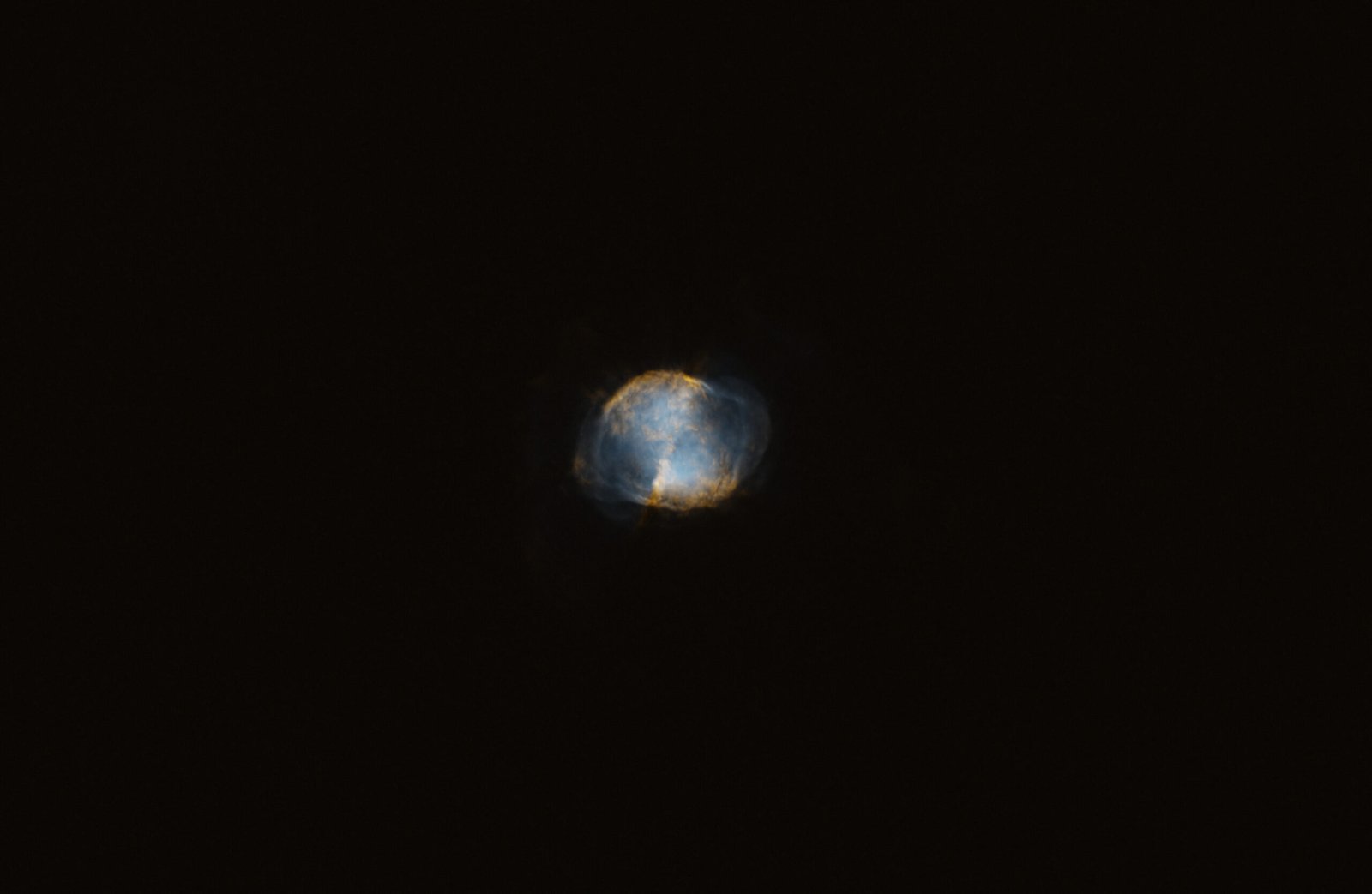
Using the newly combined starless HOO image, I applied a gentle stretch using Generalized Hyperbolic Stretch (GHS), focusing entirely on lifting the inner core data while keeping the highlights fully controlled. In this conservative stretch, the outer filaments remained invisible, to protect the centre from overexposure. As you can see in the image below, this preserves the sharp, subtle variations inside the nebula’s heart. I saved this result as my core file.
Track 2: Unleashing the Outer Filaments
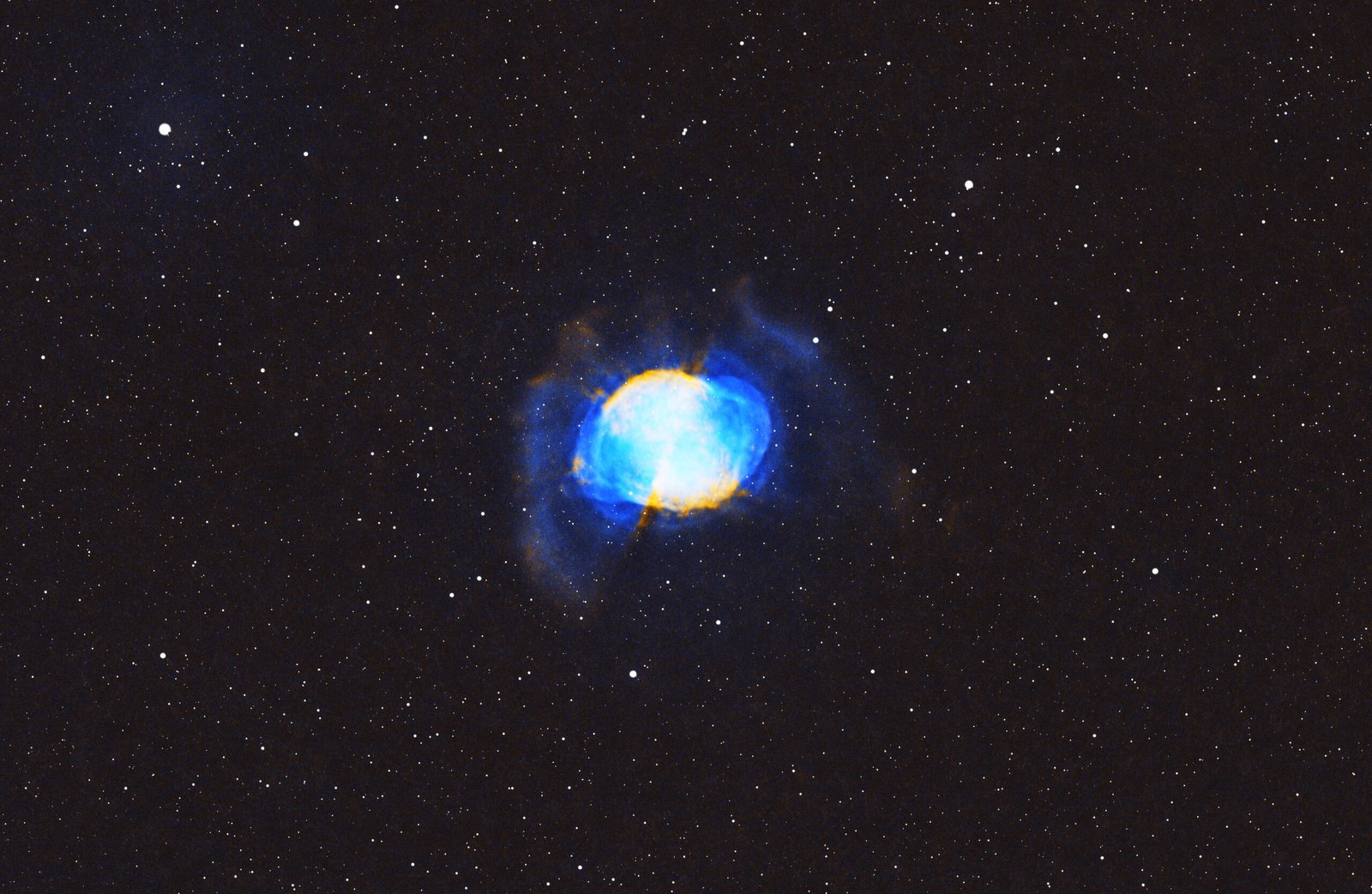
To extract the faint outer wings and filaments surrounding M27, I went back to the unstretched starless HOO image. This time, I utilized HistogramTransformation to execute an aggressive stretch, ignoring the fact that the central core was becoming heavily overstretched and blown out. Once the expansive outer shells were fully visible and detailed, as you can see in the image below, I saved this image as my filaments file.
Track 3: Stretching and Recomposing the Stars
With the nebula components structurally separated, it was time to prepare the stars. I took the standalone star file that had been subtracted from the original HDR_Ha master and gave it a stretch using Generalized Hyperbolic Stretch (GHS) to bring up the stars.
I then used a final blending step to add the stars back into the filaments file.
Step 5: Advanced Hybrid Recomposition (Photoshop & Topaz Studio)
To combine the core details from Track 1 with the deep, star-recomposed filaments from Track 2, I exported both files from PixInsight as uncompressed 16-bit TIFF images and transitioned to an Adobe Photoshop and Topaz Studio.
- Isolating the Core: In Adobe Photoshop, I loaded the core file. I selected the central dumbbell structure and applied a softening factor to the edges of the selection to enable an organic blend later, then exported this selection as a standalone transparent PNG file consisting solely of the pristine core.
- The Overlay Blend: Next, I loaded the star-recomposed filaments file into Photoshop. I dropped the softened core PNG directly over it as an aligned layer. Because the PNG’s edges were micro-feathered, the core merged seamlessly with the stretched outer wings, achieving the dynamic range balance. I flattened these layers and saved the output as a master composite TIFF.
- Detail Amplification and Upscaling: I imported the composite TIFF into Topaz Studio to run localized sharpening algorithms, drawing out the crisp edges of the expanding gas shells. From there, I passed the image into Topaz Gigapixel for a clean, artifact-free high-resolution enlargement.
- Final Polish: Returning to Photoshop, I applied a series of micro-curves and colour-vibrancy fine-adjustments to solidify the black points and make the final presentation as seen below.
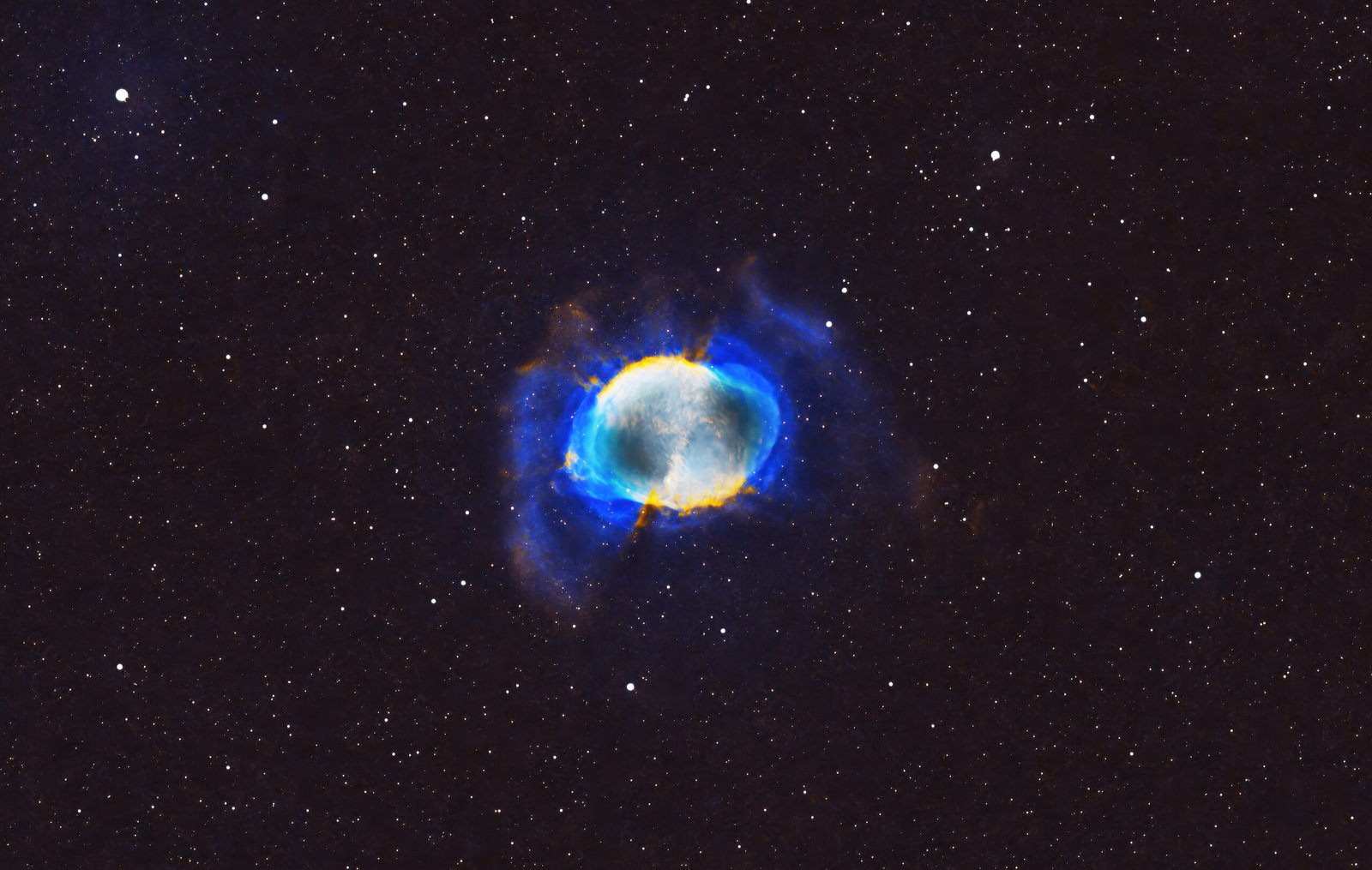
Summary
By using multi-exposure bracketing and utilizing localized masking in PixInsight, you don’t have to choose between a crisp core and deep nebulosity: you can have the best of both worlds!