Conversing with time and light
Patience: long exposures →
attention and stillness
Presence: blending data with processing as art →
celestial self-study
Pleasure: reflection and contemplation →
lingering in time and space, in duration and vastness
Revealing the invisible
Astrophotography is basically taking pictures of objects in the sky, some of which we can see with our eyes, but most not:
Nebulae in the Milky Way Galaxy are large interstellar clouds of dust and gas (mainly hydrogen and helium) that act as ‘nurseries’ for new stars or ‘graveyard remnants’ of old stars, representing crucial stages in star evolution. Nebulae are classified as:
Stars are the primary architects of nebulae, sculpting their structure and appearance through intense radiation, powerful winds, and gravitational forces.
We commonly express the distance to nebulae within the Milky Way Galaxy and to other galaxies in light years, where one light-year is the distance that light travels in one year at a speed of about 300 thousand kilometres per second, thus 9.46 trillion km. So, for example, the Carina Nebula (NGC 3372) within the Milky Way Galaxy is approximately 7,500 light-years distant: in other words, 7.095*1016, 70.95 quadrillion, 70,950,000,000,000,000 km distant. Whereas, outside of the Milky Way Galaxy, the Silver Sliver Galaxy (NGC 891/Caldwell 23), is approximately 35 million light-years distant: in other words, 33.11*1020 km, 331 quintillion, one hundred quadrillion, 331,100,000,000,000,000,000 km distant (even though its diameter is about 115,000 light years, 1.1*1018 km, it is amazing that we can still photograph it!).
Astrophotography differs from ‘normal’ (terrestrial) photography in the following five main ways:
1. Deep-sky objects are very distant and very faint and thus require imaging to take place over hours (taking many five- to ten-minute exposures, for example) to reveal celestial objects invisible to the naked eye;
2. As the earth rotates during such long exposures, a track mount controlled by a guide camera is needed to move the imaging camera opposite to the Earth’s rotation, keeping the images in focus and preventing star trails;
3. A strong signal-to-noise ratio (SNR or S/N) is needed, maximizing the strength of the wanted light from the celestial object (the signal) and minimizing unwanted interference (the noise). Noise can be reduced by: using narrowband filters to reduce unwanted light pollution; using cooled dedicated astronomy cameras to minimize thermal digital noise of the camera; stacking multiple exposures when processing the image that, whilst adding togther the constant wanted signal of stars and nebulae, cancells out the unwanted noise when averaging random noise variations across images;
4. As part of pre-processing, requires calibrating images, a mathematical process that removes unwanted artifacts, noise, and optical imperfections from light images (the actual pictures of the celestial objects) to ensure that each pixel (tiny light-sensitive well (or “bucket”) on the camera sensor that converts collected photons into electrical signals) reacts similarly to light, using primarily the following special reference frames:
5. Requires intensive processing to stretch the data, revealing details (nebulae, galaxies) that appear nearly black in the initial raw image file. Stretching redistributes compressed, dark linear data from stacked images to reveal faint details by expanding the narrow histogram peak on the left (dark) side across the full brightness range, transforming nearly black images into non-linear visible, detailed scenes. Linear data directly corresponds to the light gathered, holding the full dynamic range, meaning the difference between faint nebula and bright stars is massive; non-linear data, that is not proportional to raw photon counts, has been manipulated via stretching, boosting dark/mid-tone values making the image viewable but irreversible in terms of returning to true raw data.
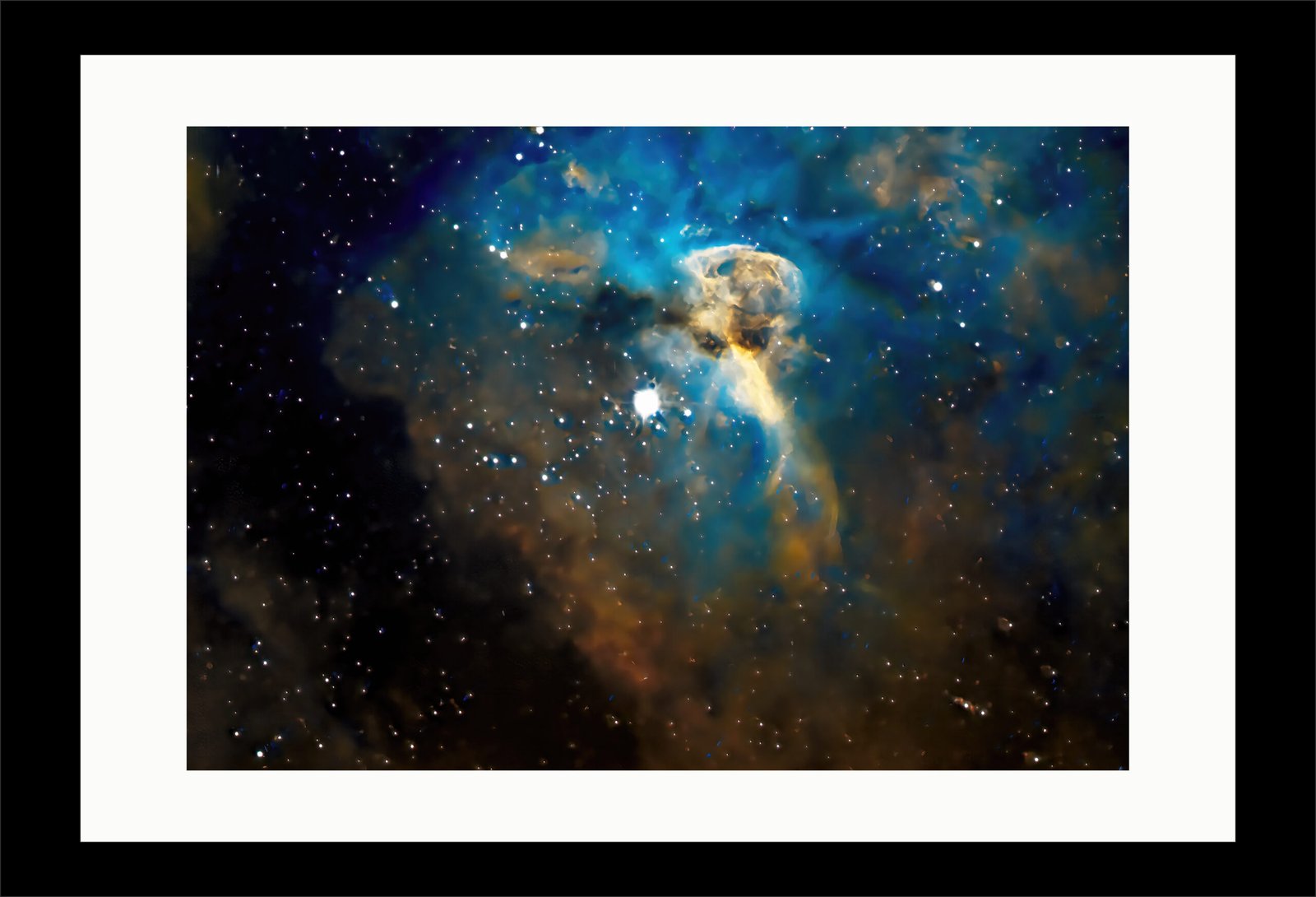
So, what is a common procedure from going from a light-polluted sky where only a few stars are visible, through a raw integrated image that appears almost just black (except for the Eta Carinae star system itself)
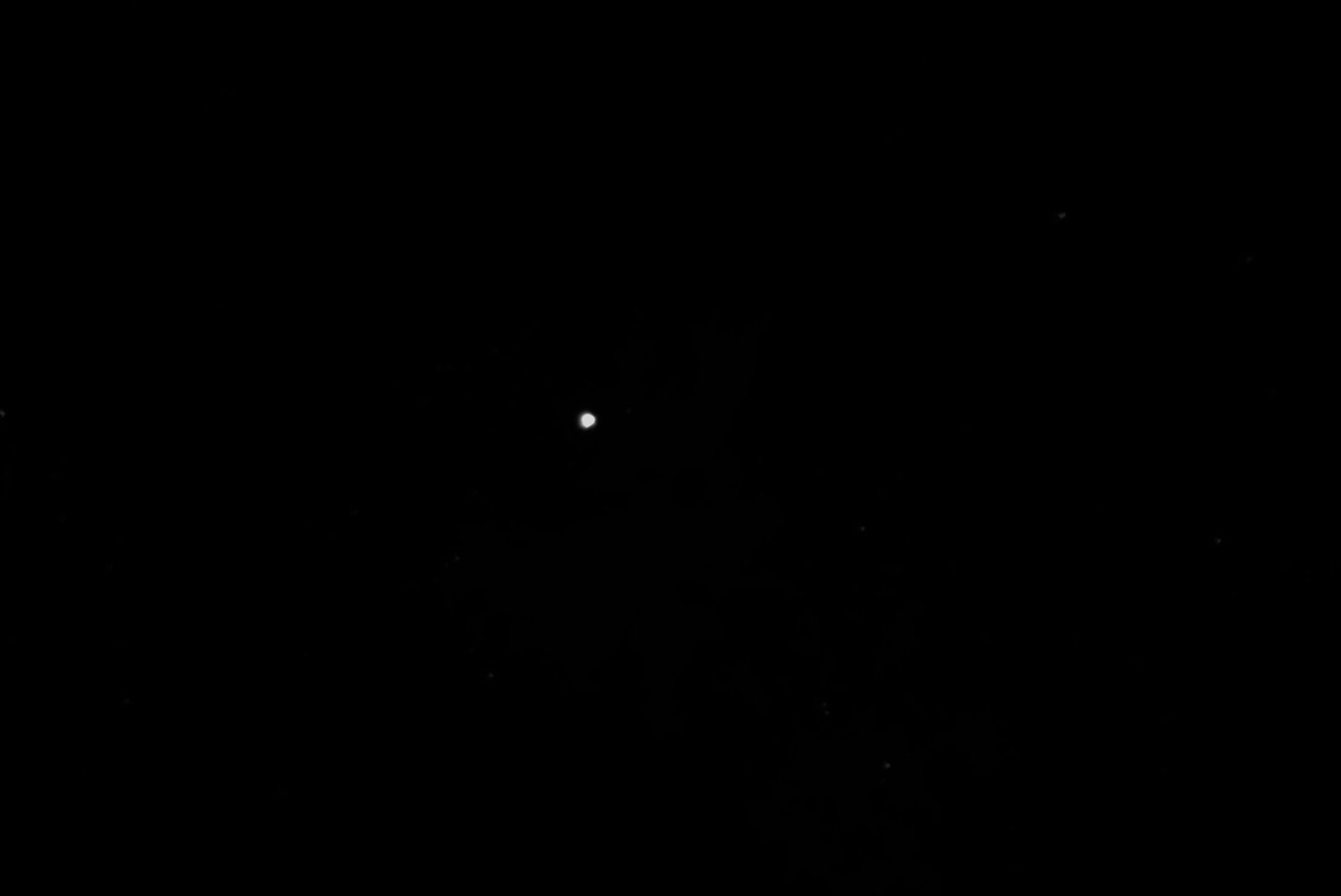
to a mounted view of the Eta Carinae (η Carinae, η Car), stellar system of at least two stars.
Planning
Plan in advance, checking the weather forecast for a clear night, with no rain expected the following morning.
Plan in advance, choosing what image to capture with what telescope: check with appropriate night sky programmes (I use starry night pro) that the image will be visible for sufficient number of hours, without obstruction from trees, buildings etc; check the status of the moon and that it will not cross the image.
Preparing
During the afternoon/evening, and well before it gets dark:
Remove telescope cover: I cover with a towel for protection and then the TeleGizmos 365 cover.
If not already positioned, place the mount and tripod in the chosen position, using a compass, so the telescope will point polar north or polar south, depending on the terrestrial hemisphere.
If not already mounted, mount the chosen telescope and guide scope; if using German Equatorial Mount, balance the mount in Dec (adjust the telescope’s position back and forward on the saddle so that it is balanced – remains steady – when in horizontal position without moving up or down) and in RA (a djust the position of the weights on the counterweight shaft to ensure that the counterweights are balanced – remain steady – when in horizontal position without moving up or down).
If not already done, connect all the power supply and cabling, and depending on the mounts which might have different routines, power everything up.
Launch ASIAIR Plus software on tablet and: if using automatic Plan procedure, search for chosen object, add to plan and input exposure times for narrowband filters, if using them; as back-up, if anything goes wrong, also set automatic autorun; check mount parameters and whether or not using meridian flip (normally required for German Equatorial Mounts, where, when the telescope cross the meridian, the imaginary circle on the celestial sphere that passes directly through the North and South Celestial Poles, splitting the sky into eastern and western hemispheres, it flips to the other side); check main imaging camera parameters; check guide camera parameters; check EAF (Electronic Automatic Focuser) parameters, if using EAF; check EFW (Electronic Filter Wheel parameters), if using EFW; check USB stick registered, if using one to store images.
When gets dark: check focus of main scope and use EAF if needed and not recently done; plate solve, if not recently done, that is ensure telescope is pointing due north or south, depending on terrestrial hemisphere using ASIAIR Plus software; check focus of guide scope, if not recently done; calibrate guide scope, if needed and not recently done; if everything seems in order, instigate Plan, which automatically sets everything in motion to capture images over the coming hours.
Collection of images and calibration files
Check the first image collected to see if everything looks good; if get up during the night, re-check that everything is going according to plan.
Normally, two nights’ worth of imaging will be required; a third night might be required to take the dark calibration frames, if they have not been recently captured (this is repeating the image collection times with the telescope lens cap on, and, if available, a black filter, to capture and thus discount any noise created by the camera itself).
The morning after, take the flats (using appropriate flat panels) and dark flat frames.
Copy everything from the USB stick to the computer and do a quick check that the images look acceptable.
Provided no dew on telescope system, replace cover (towel for protection and then the TeleGizmos 365 cover); if dew, leave to dry first.
Processing images
In PixInsight, run the weighted batch pre-processing script separately for images collected by each narrowband filter; if problems, consider using fast batch pre-processing; then process images with PixInsight, followed by Topaz studio and Adobe Photoshop.
Publishing images
If uploading image to website, prepare image for uploading, upload and check website; if printing and mounting image, prepare image for printing, drying, spray protection on image and leave to dry, and mount image.
So, how long does all this take?
This can be divided into manual and automatic tasks:
Planning: ideas are normally there, and weather forecast frequently checked, so, only: manual, 5 minutes
Preparing: depends on what has already been done and whether or not anything needs repeating: if all requirements need doing: manual, 60 minutes; otherwise: manual, 10 minutes.
Collection of images: depends on whether or not need to take calibration frames: if yes: automatic, up to 900 minutes, manual, 30 minutes: if no, automatic, up to 600 minutes, manual, 15 minutes.
Processing images: automatic (weighted batch pre-processing), 90 minutes, manual 120 minutes.
Publishing images: for web, manual 20 minutes; for printing and mounting, automatic (drying), 60 minutes, manual 30 minutes.
In total, longest time to achieve one mounted image: automatic, 1050 minutes (17.5 hours) and manual, 235 minutes (just under 4 hours).
In total, shortest time to achieve one mounted image: automatic, 750 minutes (12.5 hours) and manual, 200 minutes (3.3 hours).
